SaaS
From documents to data you can use
Why we're building D2Transform: a way to turn vouchers, statements, invoices and certificates into clean data, without changing a single word of what the document says.
Guided Labs Team
· 3 min read
Walk into almost any office in Nepal and you'll find someone retyping a document. A deposit voucher into a spreadsheet. An invoice into an accounting system. A citizenship certificate into a form. It's slow, it's dull, and when a digit goes wrong, nobody notices until much later.
D2Transform is our attempt to take that work away, carefully. It reads PDFs, photos, scans and Office files, pulls out the values that matter, and turns them into data you can export or send to your own systems. It's still in development, and we'd rather tell you honestly how it works than promise more than it does.
The hard part isn't reading
Reading text from a document is the easy bit. There are good OCR services for that. The hard part is everything around it.
Some PDFs have a clean text layer and some are scans with no text at all. Some documents use Devanagari digits, Bikram Sambat dates or the old Preeti font. And every reading tool, however good, gets things wrong sometimes. A system that quietly "fixes" a value, by translating it or converting a date without telling you, produces data that looks perfect and isn't.
So we set three rules before we built anything:
- Never change what the document says.
- Always know where a value came from.
- When the system isn't sure, let a person decide.
Reading each page the right way
D2Transform looks at every PDF page on its own. If a page has a good text layer, it reads that directly. If the text is missing, garbled or in Preeti, the page goes to OCR instead. Photos and scans are OCR'd, Word files are read along with any images inside them, and spreadsheets and text files are taken as they are. Long documents are processed in chunks, so a hundred-page scan that fails halfway picks up where it stopped.
Nothing gets translated
There's no "output language" setting, on purpose. A Nepali value stays Nepali. An English one stays English. If a value can't be found word for word in the page, it's flagged.
When a converted value is genuinely useful, like a Bikram Sambat date as an AD date or Devanagari digits as Latin ones, D2Transform stores it next to the original, never instead of it. Your exports carry both.
Knowing when to ask
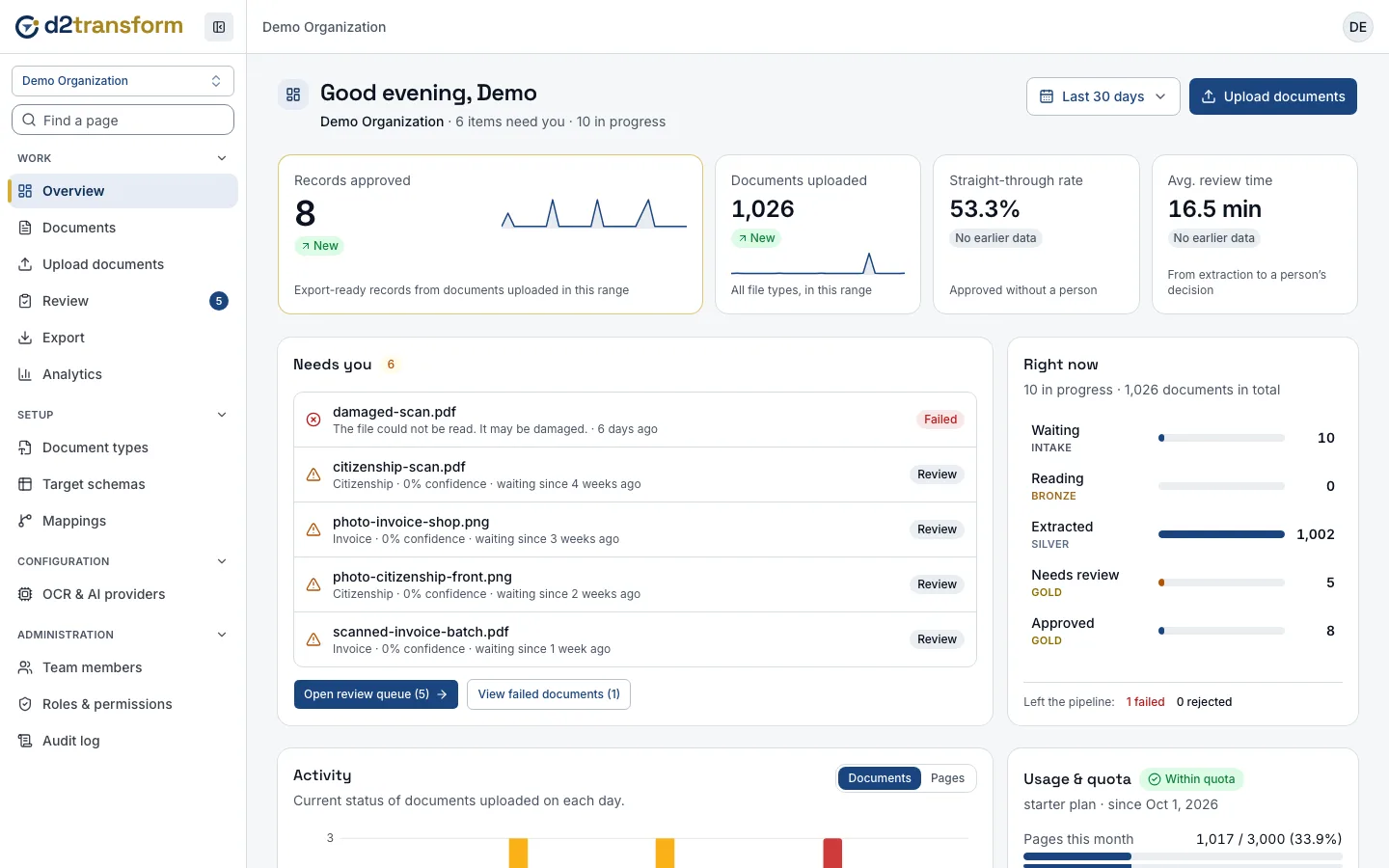
Every value comes with a confidence score and the exact words on the page that support it. A record is approved automatically only when there are no validation errors, no review flags, and every value clears the confidence threshold set for that document type. Anything doubtful goes to a reviewer: a low score, a value that isn't word for word on the page, or a date whose calendar is ambiguous.
The review screen shows what the document says first, with each value linked to where it was found. Exports and webhooks happen only after approval, so nothing half-checked leaves the system.
Fitting into your work
Each organization maps the extracted fields to its own schema, then exports CSV, Excel or JSON, or sends approved records to its systems through signed webhooks. Teams get roles from Owner to Viewer, permissions can be adjusted per person, and an audit log records who did what. Every organization only ever sees its own documents.
Where it stands
We don't have an accuracy figure to share yet, for English, Nepali or anything else, and we won't publish one until it's been measured on verified documents. Handwriting and poor scans depend a lot on the document itself and on the OCR provider an organization chooses.
What we can say is what D2Transform is built to do: surface uncertainty instead of hiding it. If you work with a lot of documents and that sounds useful, tell us about them. We'd like to hear what you're dealing with.